Wednesday, February 6, 2019

Difference between a Windows Service Solution and a Console Application By Example


Windows Services are the engine that most people never see, these are entirely different beasts. Common differences between Windows Services & Console/Windows/Web applications shown in this image. Learn Windows Service Programming with C# in my Udemy course, here's 50% off discount.
Learn Windows Service Programming on Udemy Message Box

There are some major differences between a Windows Service executable and simple exe files. This difference is also present in Visual Studio Solution. 
Learn Windows Service Programming in C# .Net by enrolling in my Udemy course now, here's a discount coupon code. 


Let’s open a console application project in Visual Studio.
First of all I will press ‘Control + F5’
You will see the console application starts working right away
Now let’s go to a Windows Service project and try the same, when I press F5 the exe does not start to run.


Let me explain a couple short things first.

OnStart method of a windows service is being shown on the screen

Learn Windows Service Programming on Udemy Message Box


The OnStart method of the service is called by Windows when a user clicks “Start” link on the Service Control Manager
In our demo code, we are writing some text to the debugging console in this method
Let me press ‘Control+F5’ keyboard shortcut once again
Learn Windows Service Programming on Udemy Message Box
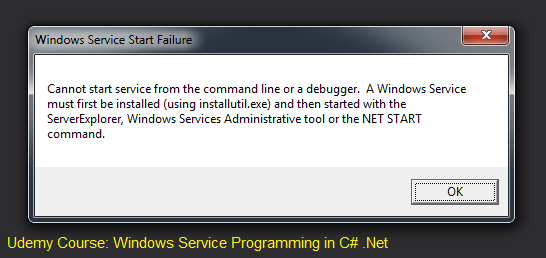
Boom! a message box says you can’t run a Windows Service from debugger baby.

This is the first difference

You can't just hit Ctrl+F5 to run a Windows Service Solution. 


Now let’s head back to the console application project
Inside the main method, I will place a breakpoint on a Console.WriteLine which prints Hello World!

And I will click ‘Debug’ menu and select the menu item ‘Start Debugging’
You see, the breakpoint is hit instantly

I’ll press F5 so that the application continues execution
Let’s try to do the same with the Windows Service project
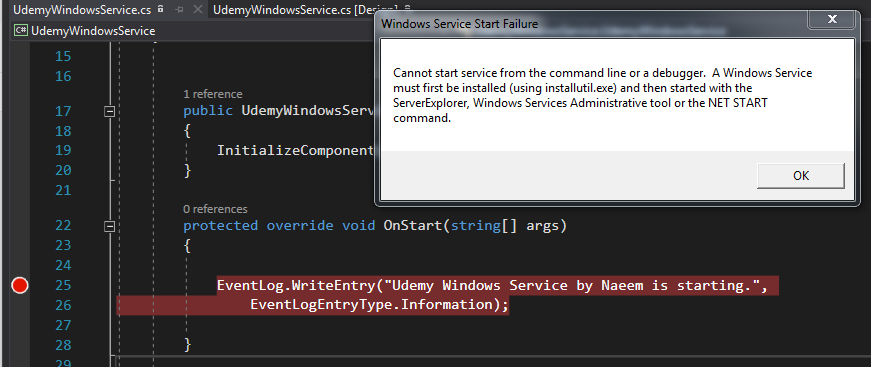
I will place a on Debugger dot writeline
Go to ‘Debug’ menu and click ‘Start Debugging’

The same error shows up again
Learn Windows Service Programming on Udemy Message Box


This is difference number two


Finally, let us go to the output directory of our console application(any console application)

Double click HelloWorld.exe file
You see, the application starts working right away
Let’s go to the output directory of the service project and try to run it by double clicking the .exe file in a similar fashion
Oops! It won’t start dancing to your tunes
This is the third difference

We need to install the a Windows Service before we can run it

You will learn how to install a Windows Service in next section of my course. Please sign up here. 


MPORTANT: The source code for section 1 can be downloaded from my Windows Service Course .

Monday, February 4, 2019

What is socket programming?


Socket programming is, first of all, a means of boosting ego among the geeks and nerds who know it.
There are two types of programmers, one who has done socket programming and one who has not.

You may learn socket through the discounted links below; I teach two courses about socket programming on Udemy.

https://www.udemy.com/tcpip-socket-programming-for-coders-using-csharp-net/?couponCode=HALF

https://www.udemy.com/course/udpsocketprogramming/?referralCode=9A39D0BAEBF79DBDE6A3


Aside from this difference, the term "socket" is referred to a software-level construct that can be used to access a computer network. The term "access" encompasses two things:

  1. A computer reading data from the network sent by another computer
  2. A computer writes data to the network to send it to another computer

It appears simple when we send a message over a computer network using an app like Whatsapp. But there's a lot of complexity going on underneath it. Even the programmers must be shielded from the radiation of things like the OSI model and BGP. That's where sockets come in. Let me give you the simple definition of a socket.

Socket: 
A socket is a variable you can create in a high-level programming level, such as C#, Java, or C++. Once you have the socket, you can send and receive data using the computer network.
A socket is like an abstraction. It hides a lot of complexity under it and lets the coders write code that results in transmitting their data through WiFi, Ethernet, or any other means.
Sockets are often exposed through various APIs.

A few examples of socket APIs are given below, along with their mother languages.

  1. Java - java.net.*
  2. C# - System.Net.*
  3. C++ - socket.h

Windows provides an implementation of sockets through WinSock2 API. This is, in turn, used by runtimes like JVM(Java Virtual Machine) and .Net CLR(Common Language Runtime).
You don't need to learn C to work on this course.


Thursday, January 31, 2019

If, elif, and else in SikuliX automated software testing to toggle volum...


In this tutorialvideo I show you how to use if condition to handle uncertain scenarios in test automation.
We're using SikuliX which lets us write scripts in Jython, a flavor of Python that runs on JVM.
Please note I publish one new automated testing video every Thursday.
These are geared towards teaching automated testing to our manual QA friends.

Monday, January 28, 2019

Drag and drop operation in SikuliX for automated testing


It is very easy to perform drag and drop operation in SIkuliX. In this video I will show you how to perform drag drop in Sikuli. Sikuli is a test automation tool. It can be used for improving your QA testing speed and accuracy.
This video is published on Test Automation TV, a Youtube channel aimed at helping all QA persons become automated testers. It is also there to improve the knowledge of existing automation testers and form a community.
New video tutorials and discussions are posted every Thursday, please subscribe.

Thursday, January 24, 2019

Host, IP Address, and Port Number In Computer Networking, Socket Programing, and Distributed Applications

Host Computer Network Socket Programming
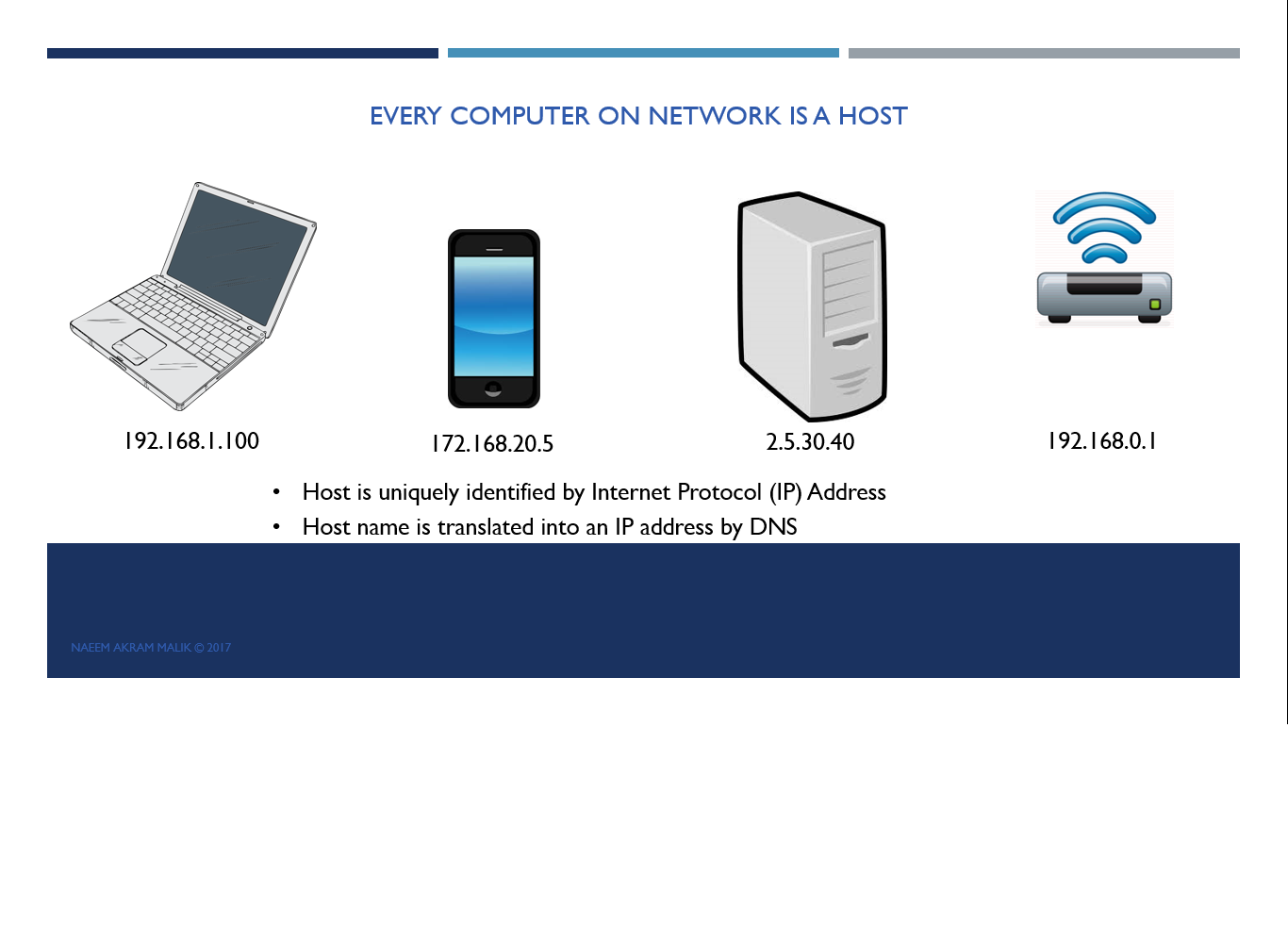
Example of A Host In A Computer Network


Host

We must have a sound understanding of a few networking concepts before we start writing a network application’s code. We’ll start with the term Host.

More than 65% discount on network & socket programming courses:


A host is a fancy term for any computing device connected to a computer network.
This machine can be a laptop, a smartphone, your home router, Amazon Alexa, or a server running in the cloud.
A machine is called a host for a reason.
It is called a host because "it is hosting a software which can communicate over the network."

Every host on a network is accessible through a unique address within that network.
This address is called Internet Protocol Address, or IP Address for short.

 A few examples of IP addresses are given below. It is written in dotted decimal notation.
We’ll learn more about the IP address in the next video.

IP Address

In this video, I’ll explain what an IP address is. IP Stands for Internet Protocol.
V is for version.
IP Address UDP and TCP IP Socket Programming IP V4
IP V4 In Computer Networks

At present, IP V4 is the most widespread IP protocol.
Another version of IP specification is IP V6, which is catching up these days.
An IP V4 address is a group of 4 different 8-bit numbers.
The total length of the IP Address is 32 bits.
An individual number inside the IP Address can have a value between 0 and 255
When printing an IP address, the four numbers are separated by a dot to make reading easier.
This method of printing the IP address is called the dotted decimal notation.
In many cases, a hostname is used instead of an IP address.
A hostname gets translated into an IP address by a Domain Name Server, a.k.a DNS.

The Port(Number)


More than 65% discount on network & socket programming courses:
https://www.udemy.com/udpsocketprogramming/?couponCode=HALFPRICE

https://www.udemy.com/tcpip-socket-programming-for-coders-using-csharp-net/?couponCode=HALF

In order to understand port numbers, we will use an analogy.
Let’s consider that your PC is like an apartment building.
This building can be reached through a specific street address.
In the case of a PC, it will be the IP address.
This building is further divided into apartments, where every apartment is identified by a unique apartment number.

Port Computer Networking Socket Programming EndPoint System Ports
This apartment number is similar to the port number.
The computer contains a large but finite number of ports.
Each apartment in this building is occupied by only one thread or process.
Only one thread or process can send or receive data from a port number.
When we need to send data to a specific thread or process, we need to know which port number it is using.
We also need to know the PC's IP address on which the thread or the process is running.
The combination of an IP address and a port number is known as an EndPoint.
A few examples are shown on the screen.
There are total of 65536 ports on a computer.
Port numbers from 0 to 1023 are reserved for operating system usage.
These apartments are occupied by the building administration.
 These are called well-known ports or system ports.
A few examples are port 20 is used for FTP(File Transfer Protocol).
Port 23 for telnet and port 25 for emails using SMTP(Simple Mail Transfer Protocol).
And port 53 for DNS(Domain Name Server).

You don't need to learn C# to work on this course.

Socket Java, python socket udp

More than 65% discount on network & socket programming courses: