Showing posts with label std::string. Show all posts

Saturday, October 4, 2014

c++ string to char array

C++ standard template library (STL) string A.K.A std::string was a novel concept back in the day when it was first introduced to the programming community with C++ programming language. Now we see every programming language be it Java or C# or Ruby contains an excellent implementation of string. Similarities between the modern string libraries can be traced back to yesteryear's string.h header file.

It is important to note that the std::string classes were actually a wrapper around C style null terminated character pointer string.
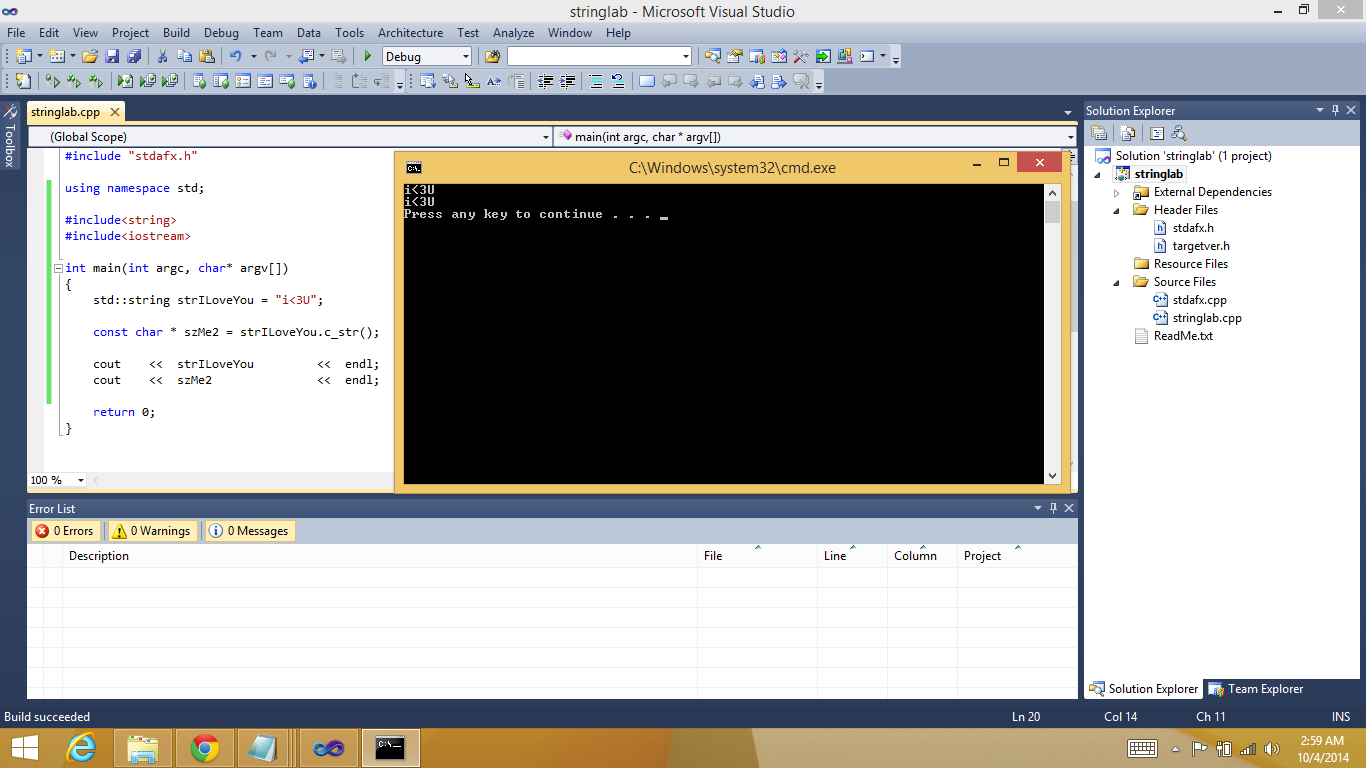
c-plus-plus-string-char-array-code

Even the apparently sophisticated(and complicated) BSTR of COM era are just a sequence of characters with some meta data(i.e. length of string).

c++ string to char* code

Since we know every std::string actually contains a char * (read character pointer) buffer in the background, there must be some way to convert C++ string to C style char array. The character arrays are also called zero terminated strings.


The good news is that there is a function in std::string class which lets us retrieve the const char * which is in the background of the string instance. The method is called

c_str

An exact example in code about how to use std::string.c_str() function is given below.

Code C++ string to char * or char array

using namespace std;

#include<string>
#include<iostream>

int main(int argc, char* argv[])
{
 std::string strILoveYou = "i<3U";// new object of std::string

 const char * szMe2 = strILoveYou.c_str();// new object of c style null terminated character pointer

 cout << strILoveYou << endl; 
 cout << szMe2  << endl;

 return 0;
}// code highligting with http://tohtml.com/cpp/


You must have noticed that the const char * retrieved this way is read only. If you want to extract a changeable string out of std::string we'll need to add a couple of lines to the code. We will use the strcpy C function, some might argue that this is not true C++ but I say everything from C is in the genesis of C++ so there's nothing untrue to spirit of C++ if we use functions from the C programming language which is the mother of all languages. The new code will look like

using namespace std;

#include<string>
#include<iostream>

int main(int argc, char* argv[])
{
 std::string strILoveYou = "i<3U";

 const char * szMe2 = strILoveYou.c_str();

 char * notConstantCharPtr = new char[strILoveYou.length()]; 
 strcpy(notConstantCharPtr, strILoveYou.c_str());

 cout << strILoveYou  << endl; 
 cout << szMe2   << endl;
 cout << notConstantCharPtr << endl;

 return 0;
}// highlight with tohtml.com/cpp

HAPPY CODING FELLAS!!!
I hope you found this small programming tutorial to be useful. Please do check my online courses which are listed on the top right of this page.

Tuesday, March 17, 2009

Working with std::string::substring() method

Though it is a very simple function, but sometimes people(me too) make a mistake when coding thing up. For example we have a std::string strHello

int nPositoinOfSemiColon = strHello.find(";", 0);

find method will find the fist parameter ";" in strHello, starting from second parameter i.e. 0.
Now the nPositoinOfSemiColon will contain either string::npos which means the string provided to find method was not found in strHello. Or in our case, 5 which is the location of ";".

strHello.substr(0, nPositoinOfSemiColon );

will return "Hello", i.e. 5 characters starting from location 0 in strHello.
Now consider

int nPositionOfSecondSemiColon = strHello.find(";", nPositionOfSemiColon);

Well... writing following line of code will... wonder what...

strHello.substr(nPositionOfSemiColon, nPositionOfSecondSemiColon);

CAUSE AN ERROR!!! FOLKS!!! ERR GRR ERROOORRR... a vicious cruel ugly error... heh heh heh...
Poor baby programmers will asK "But why Uncle why???"
Because, of the values in variables at this time are...

nPositionOfSemiColon = 5
AND
nPositionOfSecondSemiColon = 11
That means
strHello.substr(5, 11);

i.e. extract 11 characters starting from location 5 in strHello.
Whereas, 11 is total length of strHello...

The right way to go is

strHello.substr(nPositionOfSemiColon,
nPositionOfSecondSemiColon - nPositionOfSemiColon);

That means
strHello.substr(5, 6); // That means ";WORLD"

Cheers folks... have fun... remember... coding is a noble pursuit... so just keep hitting it hard... savor the wonders and joys of turning real world into programming language codes, and bear the tensions with enough tolerance...

Monday, March 9, 2009

A tricky error, when using std::string with *printf funtions

All of us know what this code (listing 1)will do...

char * szName = "Ex";

printf("%s", szName );

Will anybody tell what will be the result of these lines(listing 2)...


std::string strName = "Zed";
printf("%s", strName);

Ladies and gentlemen... listing two will cause your program to crash. This is a very common mistake made by programming newbies... though an experienced pro may also do the same...

The right way to print the string is

std::string strName = "Zed";

printf("%s", strName.c_str());

such errors are very difficult to spot... Because when reading the code, one often unconsciously considers these lines are correct...

Now people will ask that why in the world will someone create such a ridiculous blend of C and C++... The answer is... I don't know why... But anybody is absolutely free to mix the two compatible languages into a cocktail... I myself did this... when I was new into the dark realm of C/C++ programming... I had my own reasons... others will have their own...

note: *printf means any of the following funtion calls {printf, sprintf, fprintf}