Saturday, October 4, 2014

c++ string to char array

C++ standard template library (STL) string A.K.A std::string was a novel concept back in the day when it was first introduced to the programming community with C++ programming language. Now we see every programming language be it Java or C# or Ruby contains an excellent implementation of string. Similarities between the modern string libraries can be traced back to yesteryear's string.h header file.

It is important to note that the std::string classes were actually a wrapper around C style null terminated character pointer string.
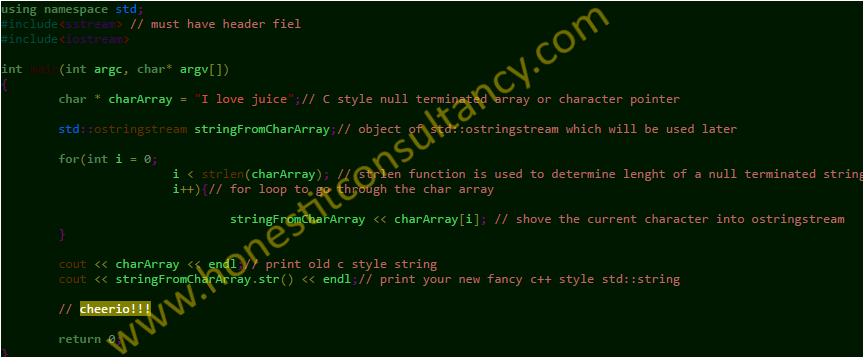
c-plus-plus-string-char-array-code

Even the apparently sophisticated(and complicated) BSTR of COM era are just a sequence of characters with some meta data(i.e. length of string).

c++ string to char* code

Since we know every std::string actually contains a char * (read character pointer) buffer in the background, there must be some way to convert C++ string to C style char array. The character arrays are also called zero terminated strings.


The good news is that there is a function in std::string class which lets us retrieve the const char * which is in the background of the string instance. The method is called

c_str

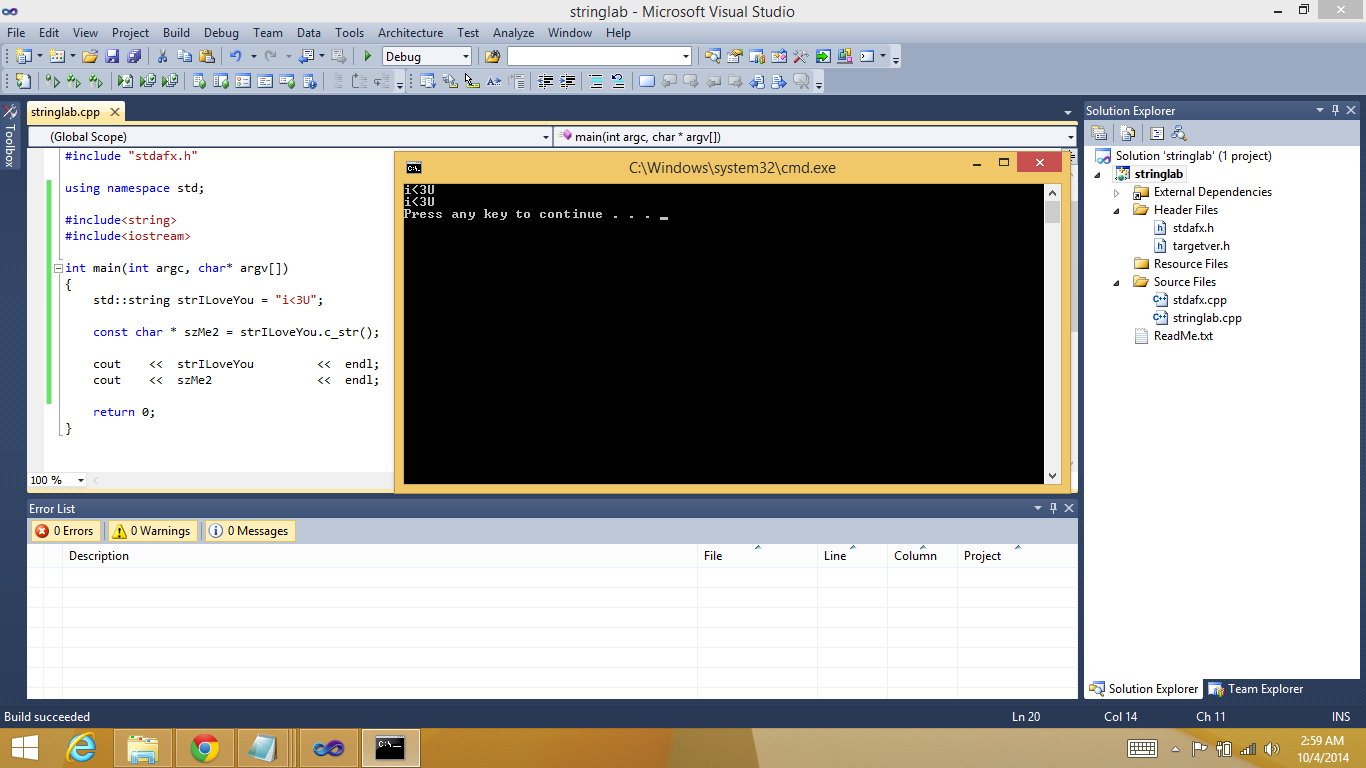
An exact example in code about how to use std::string.c_str() function is given below.

Code C++ string to char * or char array

using namespace std;

#include<string>
#include<iostream>

int main(int argc, char* argv[])
{
 std::string strILoveYou = "i<3U";// new object of std::string

 const char * szMe2 = strILoveYou.c_str();// new object of c style null terminated character pointer

 cout << strILoveYou << endl; 
 cout << szMe2  << endl;

 return 0;
}// code highligting with http://tohtml.com/cpp/


You must have noticed that the const char * retrieved this way is read only. If you want to extract a changeable string out of std::string we'll need to add a couple of lines to the code. We will use the strcpy C function, some might argue that this is not true C++ but I say everything from C is in the genesis of C++ so there's nothing untrue to spirit of C++ if we use functions from the C programming language which is the mother of all languages. The new code will look like

using namespace std;

#include<string>
#include<iostream>

int main(int argc, char* argv[])
{
 std::string strILoveYou = "i<3U";

 const char * szMe2 = strILoveYou.c_str();

 char * notConstantCharPtr = new char[strILoveYou.length()]; 
 strcpy(notConstantCharPtr, strILoveYou.c_str());

 cout << strILoveYou  << endl; 
 cout << szMe2   << endl;
 cout << notConstantCharPtr << endl;

 return 0;
}// highlight with tohtml.com/cpp

HAPPY CODING FELLAS!!!
I hope you found this small programming tutorial to be useful. Please do check my online courses which are listed on the top right of this page.

Thursday, October 2, 2014

C# Nested Switch Statement

Nested Switch C#Net code


private void button1_Click(object sender, EventArgs e)
        {
            switch(textBox1.Text){// outer switch statement c#
                case "1":
                    System.Diagnostics.Debug.Print("1");
                    switch (textBox2.Text)// inner switch statement c#
                    {
                        case "a":
                            System.Diagnostics.Debug.Print("1a");
                            break;
                        case "b":
                            System.Diagnostics.Debug.Print("1b");
                            break;
                        default:
                            System.Diagnostics.Debug.Print("1NA");
                            break;
                    }
                    break;
                case "2":
                    switch (textBox2.Text)// second nested switch statement c#.net
                    {
                        case "a":
                            System.Diagnostics.Debug.Print("2a");
                            break;
                        case "b":
                            System.Diagnostics.Debug.Print("2b");
                            break;
                        default:
                            System.Diagnostics.Debug.Print("2NA");
                            break;
                    }
                    break;
                case "3":
                    switch (textBox2.Text)// third nested switch statement in c#
                    {
                        case "a":
                            System.Diagnostics.Debug.Print("3a");
                            break;
                        case "b":
                            System.Diagnostics.Debug.Print("3b");
                            break;
                        default:
                            System.Diagnostics.Debug.Print("3NA");
                            break;
                    }
                    break;
                default:
                    switch (textBox2.Text)// default section of outer switch statement
                    {
                        case "a":
                            System.Diagnostics.Debug.Print("DEFAULTa");
                            break;
                        case "3b":
                            System.Diagnostics.Debug.Print("DEFAULTb");
                            break;
                        default:
                            System.Diagnostics.Debug.Print("DEFAULTNA");
                            break;
                    }
                    break;
            }
        }

Please note that the same nested switch logic can be reused in C++ and Java languages with a little language specific changes.

Switch statement is a very important programming language construct, appropriate usage can significantly speed up your code.
Keeping the importance of nested switch statement I've decided to put together a quick code example and make it available for the welfare of programmer community.

Example Background:
In case of this C# switch statement example, we have two text boxes and a button placed on a WinForm, when the user puts some text inside the first text box some text in second text box and then clicks the button our switch statement is fired in a button click handler.

The results are being printed using System.Diagnostics.Debug.Print function which cause them to show up in output console.

The user can enter 1, 2, or 3 in first text box and values a, b, or c in second text box. Anything else is handled in nested default sections.


C# .Net nested switch might not be used very commonly, but you never know when you'll run into a problem that's better handled by the gimmick like consumption of the construct. The exact code of a nested switch statement in C# .Net programming language is given at the beginning of this article.


Wednesday, October 1, 2014

C++ char array to string

The c style null terminated arrays might be considered a thing of past by many but as a matter fact these things are still there are used in many many large scale legacy software.\

Just recently I observed that a lot of people are trying to find an easy way to make a string out of a character array in C++ so I thought I should write a post and help the poor souls stuck in dark chambers of C++.

Without any further ado, the C++ code to achieve this extremely difficult task is given below.

char array to string c++

Wednesday, July 23, 2014

iPhone UDID using iTunes

How to find iPhone UDID (Unique Device Identifier using iTunes)

Plug your phone in to your PC/laptop and start iTunes software.

Click on phone icon highlighted in image below, don’t click the eject button
iphone-udid-itunes-graphic1

Another UI screen will be shown as a result of this click, the UI screen looks like following:


Only after a single click, the text label will start displaying the UDID of the phone which is needed for enabling testing on tester devices. 

iphone-udid-itunes-copy-udid


Right click the cryptic looking alpha-numeric string and select copy. Please note that I have distorted the UDID intentionally.
Now you can paste it anywhere and email me, or even get it tattooed on the biceps.

What is a UDID?

The iOS device UDID is added to a provisioning profile, it allows ad-hoc deployment of your apps during testing to the iOS devices of your testers. You would've already guessed that its a unique identifier and no other Apple mobile device will have this identifier on it.

Please note that only 100 iOS devices be it iPhone/iPod/iPad can be added to a single Apple Developer Account.

In case of Android, you can create a development build and send the apk file to any number of people who may deploy it on any number of devices.

Monday, June 2, 2014

How to create PhoneStateReceiver get CLI and call events

During first 5 years of my career I luckily worked at software houses that created computer telephony related software, I had used Microsoft TAPI and Dialogic APIs to create IVR and Operator Console and Call Recorder software. When I first started Android programming in 2010, I was very curious about phone states and CLI. 


I later figured it out and came to know that a BroadcastReceiver will be the right thing to use in
this case. BroadcastReceiver is a specially designed component offered by Android OS, and
it is used to handle various broadcasts sent by apps or OS components.
The broadcasts related to telephone call states are sent by TelephonyManager which is a
component of Android OS.
The phone state receiver given below can be used in scenarios like call blocking, call tracking,
and sending information to http or cloud based servers.
This salient features of my phone state receiver are given below
  1. Get the CLI from an incoming call
  2. Get the dialled number from an outgoing call
  3. When an inbound call is connected, get informed
  4. When a call is disconnected, get notified